
Should Your Next Staff Schedule Be Built With AI?
AI-powered staff scheduling systems are transforming how businesses manage staff scheduling. Explore the benefits and see if it's time to upgrade.
Read moreStop struggling with schedule creation. Download our professionally designed Excel template specifically built for shift work scheduling.
100% Free - No credit card required. Just fill out the form and download instantly.
Fill out the form below to download your Excel schedule template
Everything you need to create professional staff schedules in Excel
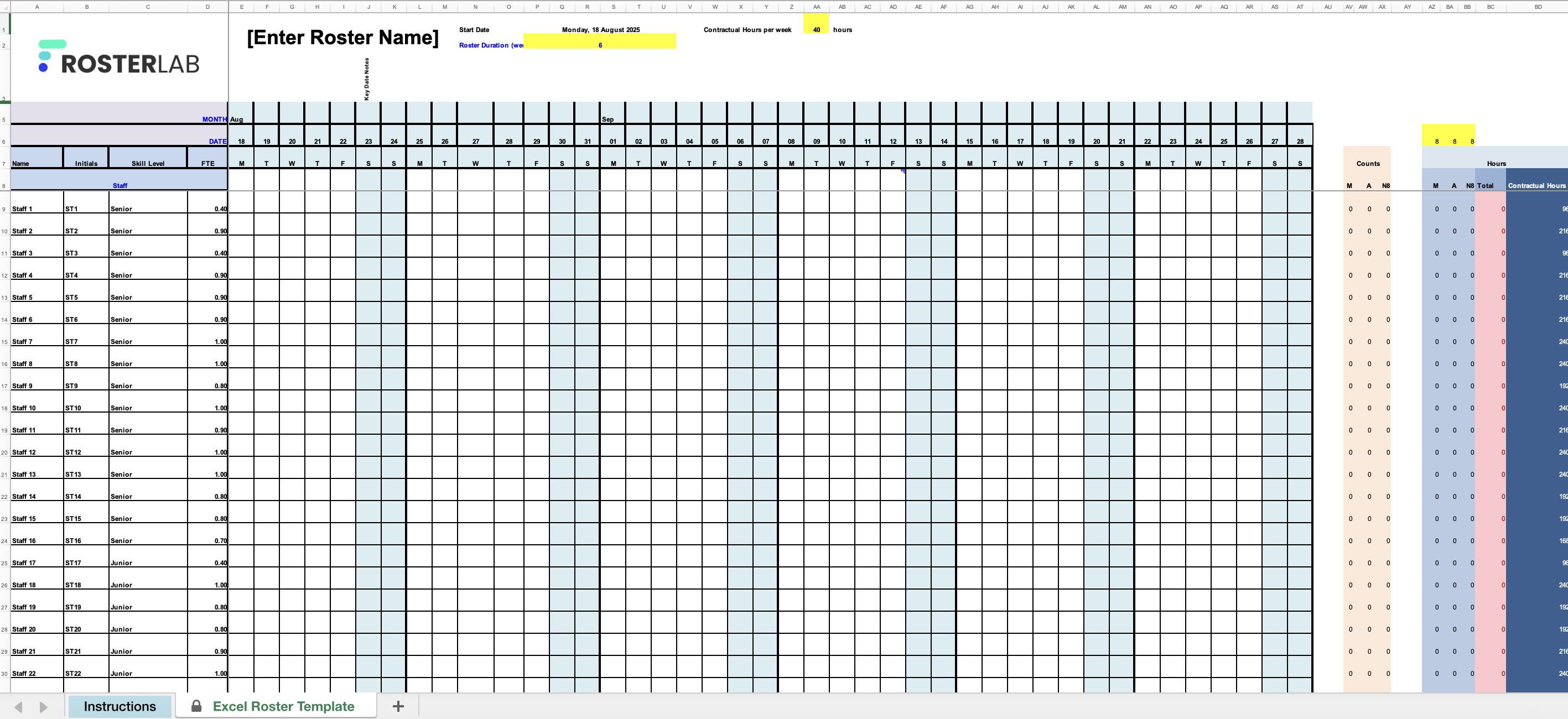
The dates and days of the week are already laid out for 6 weeks, ready for assigning shifts.
Space to record each employee's name, initials, skill level, and FTE (contracted hours).
Cells to assign different shifts, with automatic totals at the end for tracking workload.
AI-powered staff scheduling systems are transforming how businesses manage staff scheduling. Explore the benefits and see if it's time to upgrade.
Read more
Have you ever wondered how to set up your scheduling spreadsheet to quickly check if you have the right number of people on every day? Maybe you already have, but you would like some color coding or even a quick check that every day is staffed correctly. In this post, I will go over some easy-to-implement excel formulas to do just that.
Read more
For those of us writing schedules with 24-hour coverage, there is the necessity to account for sleep days for those that are transitioning from night shifts to day shifts. Sometimes in the deep schedule writing state, we can lose track of these things in the struggle to fill every shift. Let's set up some Excel formulas to check this for us instead of seeing it ourselves much later.
Read moreEverything you need to know about our Excel schedule template
This free Excel staff schedule template is designed for managers, staff schedulers and team leaders who need a simple way to organize staff shifts. It's best suited for workplaces that want a straightforward, no-cost solution without needing to adopt new software.
Excel can be a quick and familiar tool for scheduling if you have a small team and relatively simple shift patterns. However, it can become time-consuming and error-prone as your workforce grows, especially when handling last-minute changes, compliance requirements, or multiple locations.
The Excel template is static - you download it and update manually. Our free digital scheduling tool, on the other hand, allows you to build and share schedules online, make real-time updates, and automatically notify staff of changes. Digital scheduling reduces admin time, helps prevent double-ups, and ensures your team always has the latest version.
While our Excel template saves time, RosterLab's AI can create optimized schedules in minutes, not hours. See how much time you could save.