
Take the pressure off ED scheduling

AI scheduling software for emergency departments. Balance clinical coverage, teaching, availability, and workloads fairly.

Emergency department staff on shift

Trusted by healthcare teams

ED is demanding. Scheduling shouldn’t be.

There's enough competing for your attention in a busy emergency department. Spend less time sorting out schedules and more time where you're needed on the floor.

Designed for scheduling across:

  • Adult Emergency Departments
  • Pediatric Emergency Departments
  • Emergency Observation Units

Emergency Department | Sydney Tertiary Hospital

70% time saved on the first schedule

At a Sydney tertiary hospital ED scheduling 60+ senior medical officers every quarter.

“It’s not just about saving hours. It's about confidence in the roster, about fairness, and about giving senior clinicians time back for patient care.”
— Emergency physician
Read the case study

The right skills. Every shift.

Set staffing and skill requirements for each area. Spot gaps before publishing.

A fair share of tough shifts

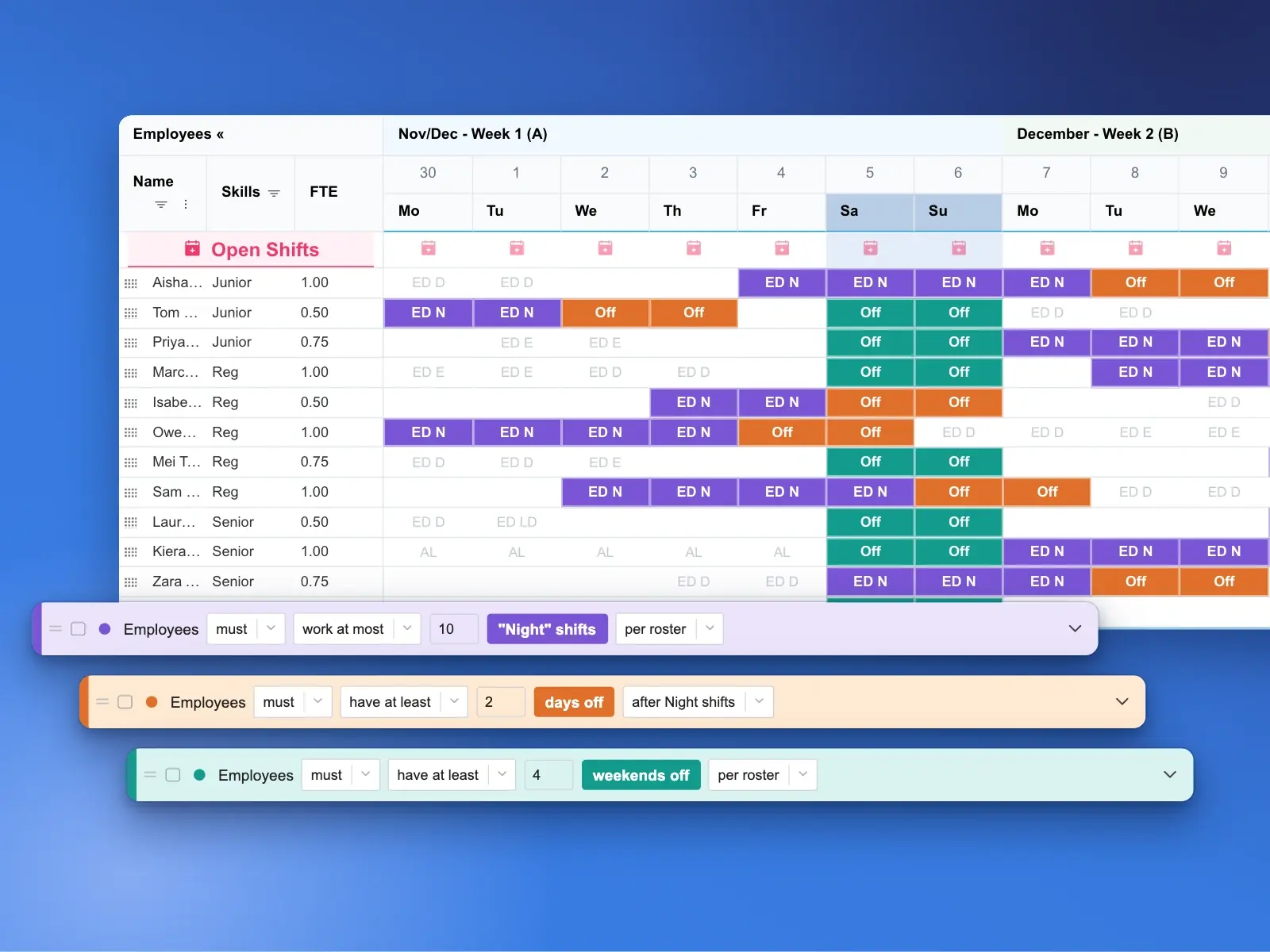
Share nights, weekends, and holidays using your department’s fairness rules.

Protect recovery after nights

Build in working-hour limits, rest between shifts, and post-night recovery.

Handle last-minute absences

Find suitable cover and adjust affected shifts with minimal disruption.

Built for the complexity of ED scheduling

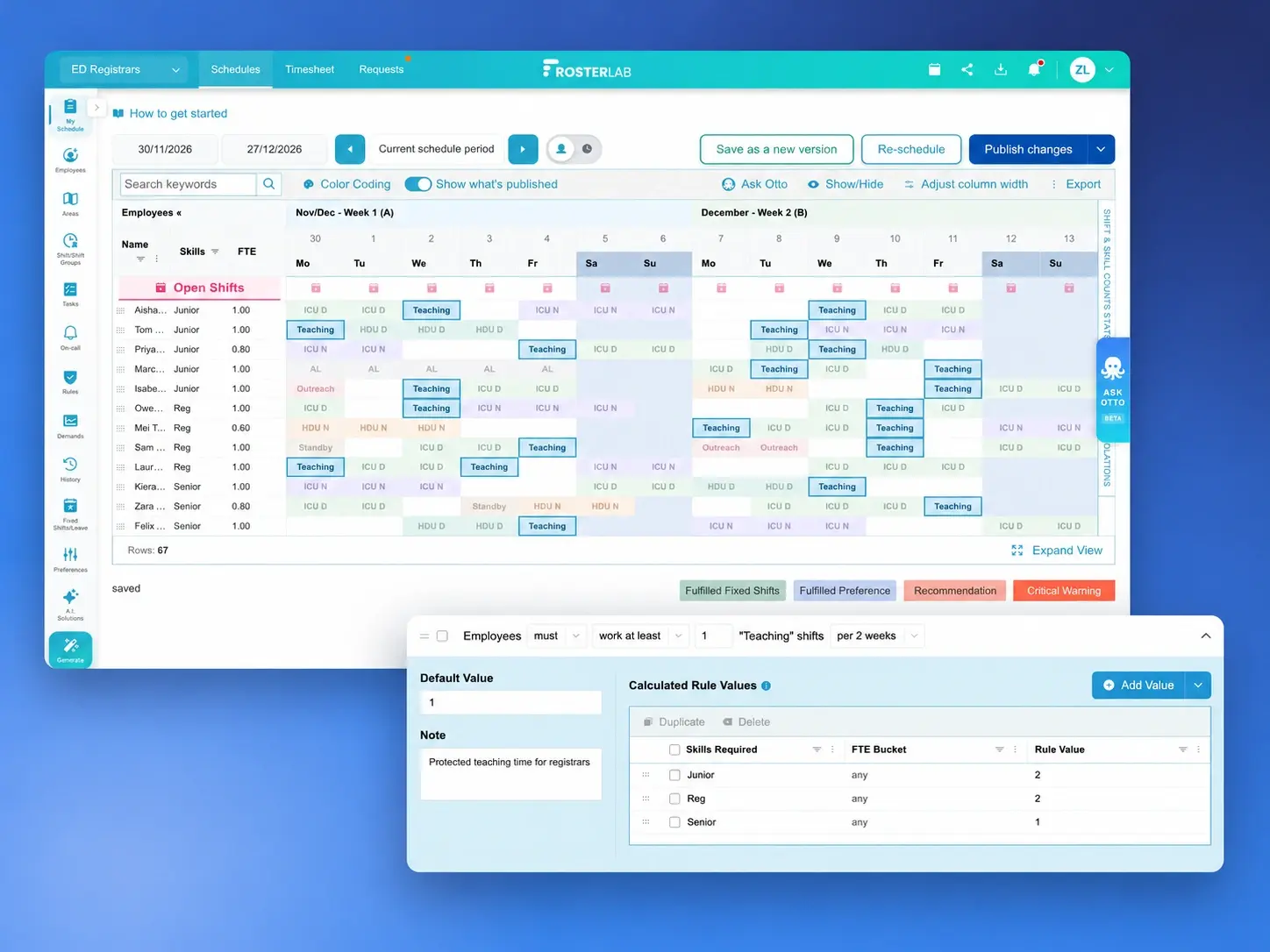
Coordinate clinical coverage, teaching and supervision

Coordinate attending and resident physician coverage across ED areas, while accounting for teaching sessions, supervision, and non-clinical commitments.

Explore AI scheduling
RosterLab schedule with highlighted teaching shifts and teaching allocation rules by skill level

Build fair schedules around individual availability

Fit part-time hours, rotations, and known commitments at other hospitals into one schedule. RosterLab applies your department’s fairness targets when allocating nights and weekends.

Explore scheduling rules
ED schedule highlighting night shifts, recovery days and weekends off, with rules for night allocation and time off

The whole schedule, considered together

RosterLab balances cover and rules. You review and publish.

See how manual scheduling and RosterLab compare

Scheduling taskManual scheduling in Excel or traditional softwareRosterLab
Finding coverHours spent contacting staff and checking availabilitySuitable cover suggested without the chasing
Maintaining coverageFilling one gap can leave another shift short-staffedAffected shifts are rescheduled to maintain adequate coverage
Clinical safety and rest checksEssential skills and rest requirements can be overlookedSkill mix and rest requirements checked automatically

Easy transition, backed by expert support

Bring your existing schedule, shift patterns, staffing needs and working arrangements. Our implementation specialists help configure your department’s rules, train your schedulers and review the first generated schedule with you.

We also review your current systems and confirm the integration or export options your team needs before agreeing the setup.

Discuss your ED setup

Frequently Asked Questions

Questions about scheduling for emergency care.

  • When a doctor calls in sick, RosterLab helps find suitable cover based on skills, availability, and rest requirements. Affected shifts can then be rescheduled automatically, minimizing service disruption.

See how RosterLab could work for your team

See how RosterLab could handle your ED’s requirements in a tailored demo.